
1. Quick start#
1.1. metaFun install and run#
1.1.1. 1. Install biocontainer#
If there is no conda or mamba in your system, follow the instructions and install conda or mamba. We reommend to install miniconda or mamba.
# Suppose you are using Linux OS.
wget https://repo.anaconda.com/miniconda/Miniconda3-latest-Linux-x86_64.sh -O ~/miniconda3/miniconda.sh
# you can indicate the installation path by replacing -p $PATH. $PATH is the base directory of your conda installation.
bash miniconda.sh -b -u -p ~/miniconda3
rm  miniconda.sh
Install mamba
We recommend to install mamba suitable for quick installation following instruction from miniforge github.
1.1.2. 2. Download metaFun from Bioconda#
# we recommend create a new conda environment for metaFun
conda create -n metafun bioconda::metafun
# If you have mamba, you can install metaFun with mamba
mamba create -n metafun bioconda::metafun

mamba activate metafun
1.1.3. 3. Download databases to utilize metaFun#
# download databases
conda activate metafun
 (metafun) name $ metafun  -module DOWNLOAD_DB
module DOWNLOAD_DB execution
Execution of metafun -module DOWNLOAD_DB is shown in the following figure.
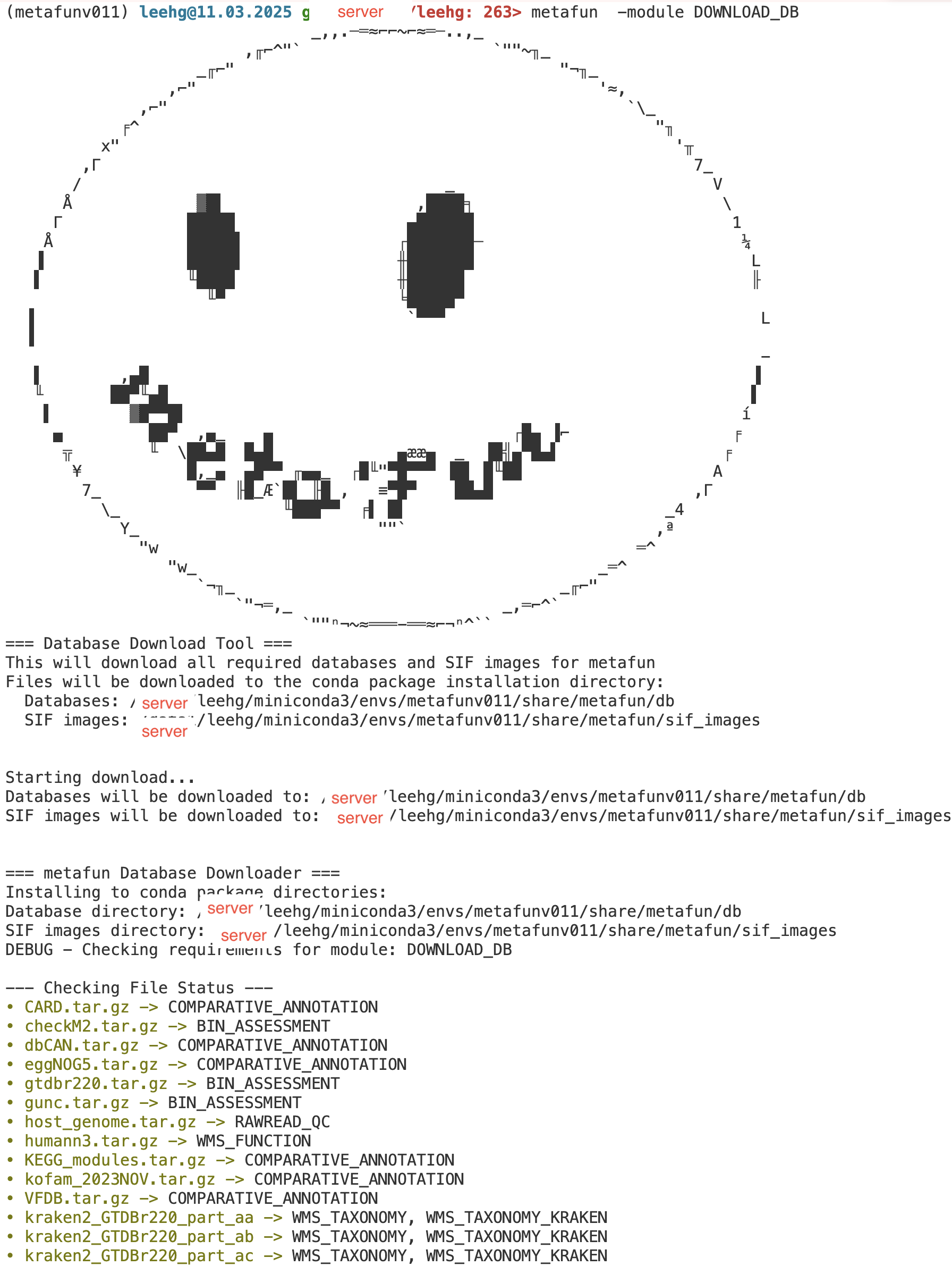
module DOWNLOAD_DB execution
Due to the huge size of databases (File size of raw tar gzipped files : ~683GB), it may take a while to download databasese depending on your network speed. Database information is available at download repository.
The integrity of downloaded databases is automatically checked by comparing sha256. If there are problems, please redonwload the datases.
Typically you can find the database path by the following command.
ls -d $(find $(dirname $(which metafun)) -type d ! -name 'metafun')/../share/metafun/db
1.1.4. 4. Run Modules of metaFun#
metaFun provides two main analysis workflows:
1.1.4.1. Genome-based analysis path:#
RAWREAD_QC → ASSEMBLY_BINNING → BIN_ASSESSMENT → GENOME_SELECTOR → COMPARATIVE_ANNOTATION → INTERACTIVE_COMPARATIVE
1.1.4.2. Read-based analysis path:#
For taxonomic composition
RAWREAD_QC → WMS_TAXONOMY → INTERACTIVE_TAXONOMY
For functional annotation
RAWREAD_QC → WMS_FUNCTION
For strain-level analysis
RAWREAD_QC → WMS_TAXONOMY → WMS_STRAIN → INTERACTIVE_STRAIN
For network analysis
WMS_TAXONOMY → INTERACTIVE_NETWORK
You can execute each module of metaFun using the following syntax:
metafun -module <module_name> [options]
1.1.4.3. Available Modules#
Important Workflow Information
When specifying an input directory for RAWREAD_QC, subsequent modules will automatically use the output from previous steps as their input unless explicitly overridden.
Mandatory parameters are typically needed when specifying metadata files and their columns (sample ID or analysis columns). Each module that requires metadata will need these parameters explicitly defined.
For the most efficient usage, follow the color-coded workflow paths shown above.
1.2. RAWREAD_QC: Quality control of raw reads and host genome filtering#
Required: -i
metafun -module RAWREAD_QC -i input_reads/
1.3. ASSEMBLY_BINNING: Assembly and binning#
Optional: -i -i parameter in this module.)
metafun -module ASSEMBLY_BINNING -i filtered_reads/ -p 40
1.4. BIN_ASSESSMENT: Assess genome quality and taxonomy classification#
Required: -m
metafun -module BIN_ASSESSMENT -m metadata.txt -c 2
1.5. GENOME_SELECTOR: Genome selection interface#
Required: -i <input_file>
metafun -module GENOME_SELECTOR -i combined_metadata.csv
1.6. COMPARATIVE_ANNOTATION: Comparative genomic analysis#
Required: -i
metafun -module COMPARATIVE_ANNOTATION --metadata metadata.csv --samplecol 1
metafun -module COMPARATIVE_ANNOTATION -i genomes/ -m metadata.csv --samplecol 1 --metacol 2
1.7. INTERACTIVE_COMPARATIVE: Interactive comparative analysis#
Required: -i
metafun -module INTERACTIVE_COMPARATIVE -i results/genomes -m metadata.csv
1.8. WMS_TAXONOMY: Taxonomic profiling of metagenomic reads#
Required: -m
Default selection is sylph.
If you would like to utilize kraken2, please download kraken2 database and specify --profiler kraken2.
-s option is accession column prefix of paired reads files of metagenomic data.
-i option is input directory of metagenomic data. You need to specify this option if you did not run RAWREAD_QC module.
metafun -module WMS_TAXONOMY -m meta.csv -s 1
1.9. INTERACTIVE_TAXONOMY: Interactive taxonomy analysis#
Required: -i
metafun -module INTERACTIVE_TAXONOMY -i results/metagenome/WMS_TAXONOMY
1.10. WMS_FUNCTION: Functional analysis of metagenomic reads#
Required: -i
metafun -module WMS_FUNCTION -i filtered_reads/ -m metadata.csv -s 1 -a 2
1.11. WMS_STRAIN: Strain-level microdiversity analysis#
Required: -i
Requires WMS_TAXONOMY output
This module requires a phyloseq RDS object from WMS_TAXONOMY for selecting prevalent taxa to analyze at strain level.
metafun -module WMS_STRAIN -i results/metagenome/RAWREAD_QC/read_filtered \
    --phyloseq_object results/metagenome/WMS_TAXONOMY/phyloseq/phyloseq_object_sylph.RDS
1.12. INTERACTIVE_STRAIN: Interactive strain diversity analysis#
Required: -i
metafun -module INTERACTIVE_STRAIN -i results/metagenome/WMS_STRAIN
1.13. INTERACTIVE_NETWORK: Interactive microbial network analysis#
Required: -i <phyloseq_RDS>
Requires WMS_TAXONOMY output
This module requires a phyloseq RDS object from WMS_TAXONOMY for constructing co-occurrence networks.
metafun -module INTERACTIVE_NETWORK -i results/metagenome/WMS_TAXONOMY/phyloseq/phyloseq_object_sylph.RDS
1.14. DOWNLOAD_DB: Download required databases#
metafun -module DOWNLOAD_DB
1.15. PREPARE_CUSTOM_HOST: Prepare custom host genome index#
Required: -i
metafun -module PREPARE_CUSTOM_HOST -i genome.fasta -f mouse
Any custom host genome can be used.
If you would like to use custom host genome, please specify the path of fasta file and name of the host genome by -f.
You need to specify -f option in RAWREAD_QC module to filter out your custom host genome.
1.16. Common Options#
-o, --output: Output directory-p, --processors: Number of processors to use-h, --help: Show detailed help for a module
For detailed usage and additional parameters for each module, use:
metafun -module <module_name> -h